
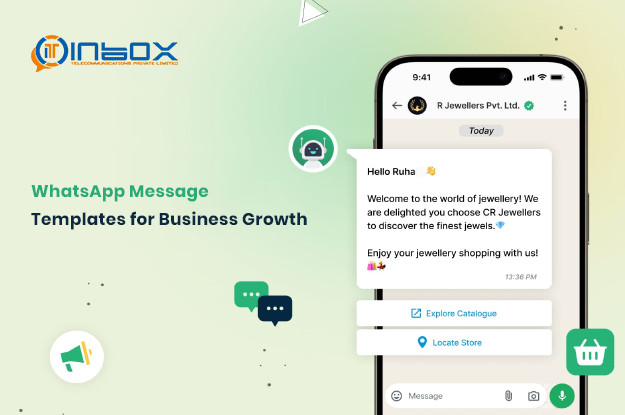
WhatsApp Message Templates for Business Growth
WhatsApp Message Templates for Business: A Complete Guide to Smarter Customer Communication
In today’s fast-paced digital world, businesses need reliable and structured ways to connect with customers. One of the most effective tools is WhatsApp message templates, especially when used through a WhatsApp API, which allows companies to send timely, approved, and engaging messages even outside the 24-hour messaging window.
This guide will help you understand how these templates work, their types, structure, and how your business can use them effectively to improve communication and engagement.
What Are WhatsApp Message Templates?
WhatsApp message templates are pre-approved messages that businesses can send to users who haven’t interacted with them recently. These templates ensure that communication remains compliant with WhatsApp policies while allowing brands to maintain customer engagement.
They are commonly used for:
Order confirmations and delivery updates
OTPs and account verification
Promotional campaigns and offers
Customer service follow-ups
With the help of a WhatsApp message sender, businesses can automate and personalize these communications efficiently. By using structured messaging, businesses can ensure clarity, consistency, and professionalism in every interaction.
Why WhatsApp Templates Matter for Businesses
For businesses using WhatsApp Business API, templates are essential. Once the 24-hour customer interaction window closes, you can only reach users through approved templates.
Key benefits include:
Consistent and professional communication
Higher customer engagement rates
Compliance with WhatsApp policies
Scalable messaging for growing businesses
Partnering with a reliable WhatsApp bulk message provider helps businesses streamline campaigns and improve delivery rates. Companies like Inbox Telecommunication Pvt LTD support businesses in optimizing these messaging workflows.
Types of WhatsApp Message Templates
Choosing the right type of template is crucial for approval and effectiveness. Here are the main categories:
1. Utility Templates
These are used for transactional updates related to a service or purchase.
Examples:
Order confirmations
Payment receipts
Appointment reminders
These messages should be clear and strictly non-promotional.
2. Authentication Templates
These templates are designed for sending secure login or verification codes.
Examples:
OTP verification messages
Account security alerts
They should be short, direct, and focused only on security.
3. Marketing Templates
These are used to promote products, services, or offers as part of your WhatsApp marketing strategy.
Examples:
Discount offers
Product launches
Re-engagement campaigns
Make sure users have opted in before sending such messages.
4. Service Templates
These help businesses continue customer support conversations after the 24-hour window.
Examples:
Follow-up on support tickets
Status updates on requests
They should remain neutral and helpful.
Structure of a WhatsApp Template
Every WhatsApp template follows a defined structure:
A well-structured template improves readability and user interaction.
How to Create WhatsApp Message Templates
Step 1: Access WhatsApp Manager
Log in to your business account and navigate to the templates section.
Step 2: Create a Template
Click on “Create Template” and select the appropriate category.
Step 3: Name Your Template
Use clear and descriptive names like order_update_alert.
Step 4: Add Content
Write the message body and include placeholders like {{1}} for personalization.
Step 5: Submit for Approval
Once submitted, WhatsApp reviews the template before activation.
Tips to Get Your Templates Approved
To avoid rejection and delays, follow these best practices:
Use clear and professional language
Choose the correct template category
Avoid promotional content in utility messages
Use placeholders logically
Ensure message structure matches its purpose
Consistency and clarity are key to approval.
How Different Industries Use WhatsApp Templates
Businesses across industries are leveraging templates effectively:
E-commerce
Order confirmations
Cart reminders
Healthcare
Appointment alerts
Test result notifications
Education
Class reminders
Course updates
Finance
Payment alerts
Invoice notifications
Travel
Booking confirmations
Travel updates
These templates enhance customer experience and reduce manual effort.
Best Practices for Managing Templates
Efficient template management ensures smooth operations:
Use clear and consistent naming conventions
Organize templates by category